How to change the bank account where you receive your withdrawals
Last updated: October 7, 2026
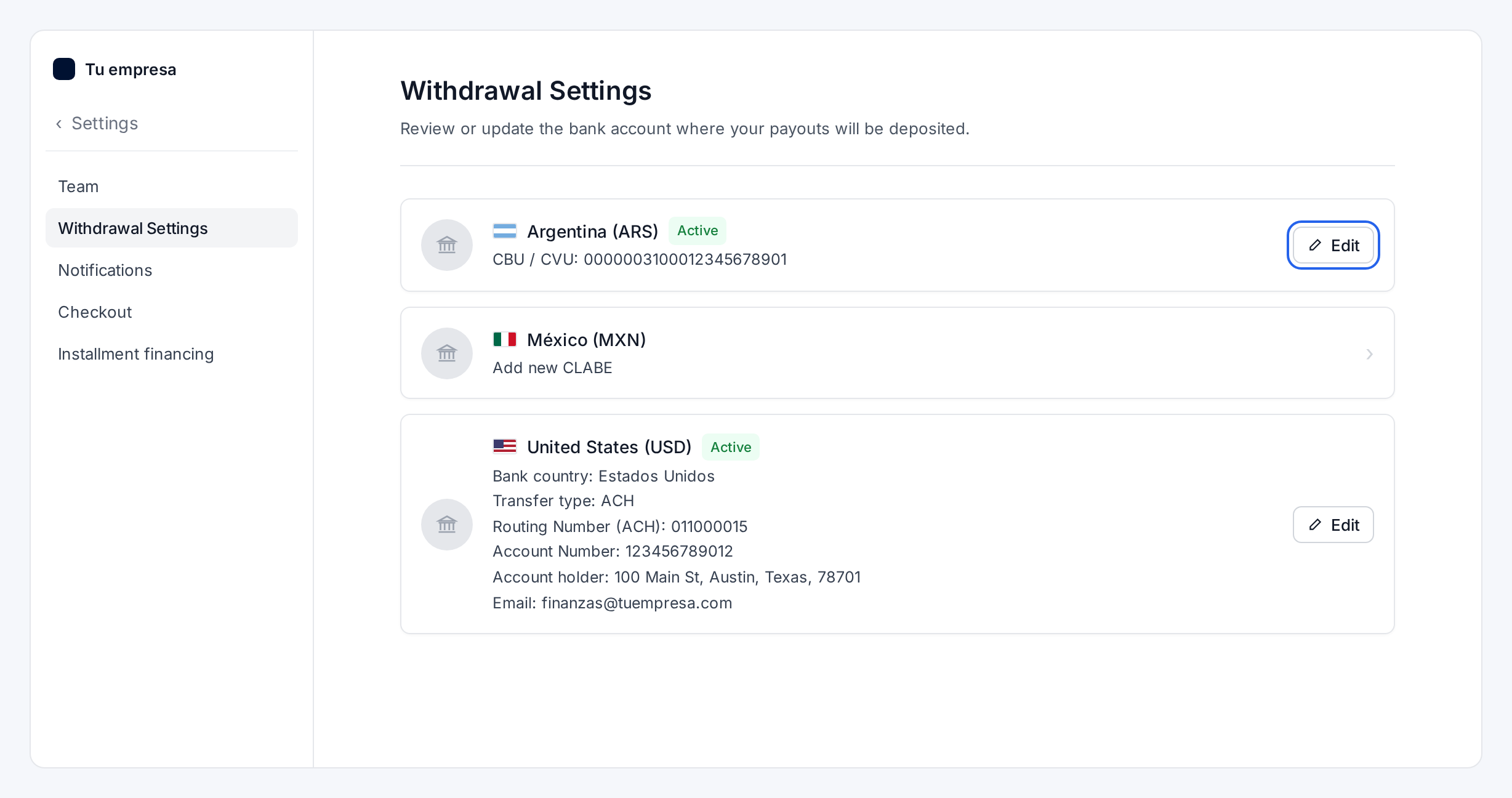
You can change your withdrawal bank account yourself, for any currency, from Settings > Withdrawal Settings in your dashboard.
The new account replaces the previous one, and your next withdrawals go to it.
Where to find it
In your dashboard, go to Settings and select Withdrawal Settings.
The screen shows one card for each of your balances, with the bank account where those withdrawals arrive and an Edit button.
One bank account for each balance
Each balance has its own bank account:
If you process cross-border payments, you have a balance in USD, with one bank account.
If you process local payments, you have one balance for each local currency, each with its own bank account.
When you change the account of a balance, the new one replaces the previous one. The other balances keep their accounts.
How to change the account
Go to Settings > Withdrawal Settings.
Find the card of the balance you want to update and select Edit. If that balance doesn't have an account yet, the card invites you to add one (for example, Add new CLABE): select it.
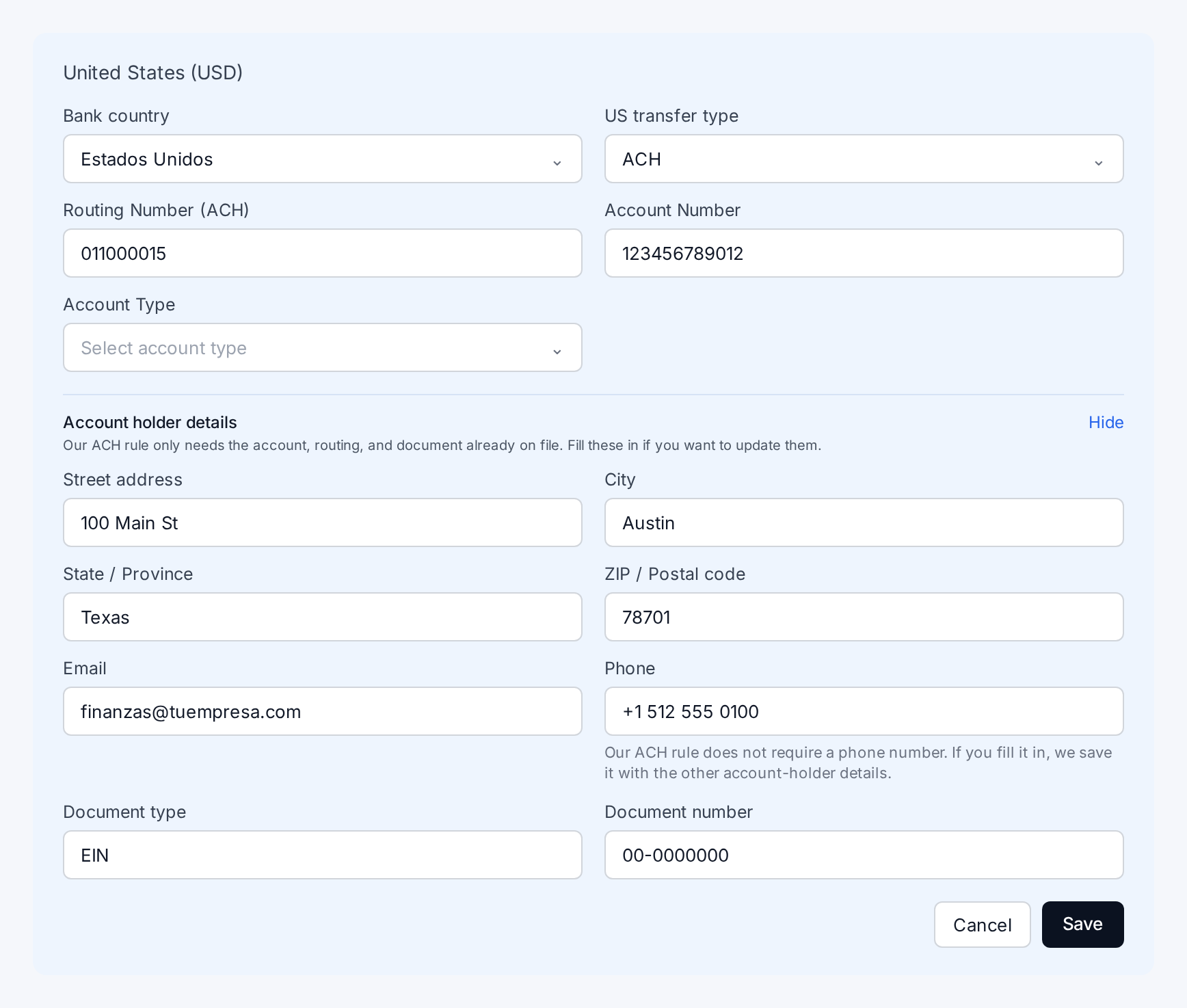
Enter the details of the new account.
Select Save.
Your next withdrawals from that balance go to the new account.
What details we ask for, by country
The form asks for the details that apply to the country of each balance. For example:
Balance | What you enter |
|---|---|
Argentina (ARS) | CBU or CVU |
Mexico (MXN) | CLABE |
United States (USD) | Bank country, transfer type (ACH), routing number, account number and account type |
For the USD balance, the form also includes the Account holder details: address, email, phone and tax document (for example, EIN). The ACH transfer only needs the account, the routing number and the document we already have on file, so you fill in these details only if you want to update them. The phone number is optional.
Which accounts you can use
The account must belong to the same legal entity you declared when you activated your Rebill account. In Argentina, that means the same business name and the same CUIT.
It can be held at any bank or financial institution. What matters is that the account is in the name of the entity that operates with Rebill.
Need help?
If something comes up when you save the new account, reply to your support ticket or contact us at support@rebill.com, and our team will review it with you.