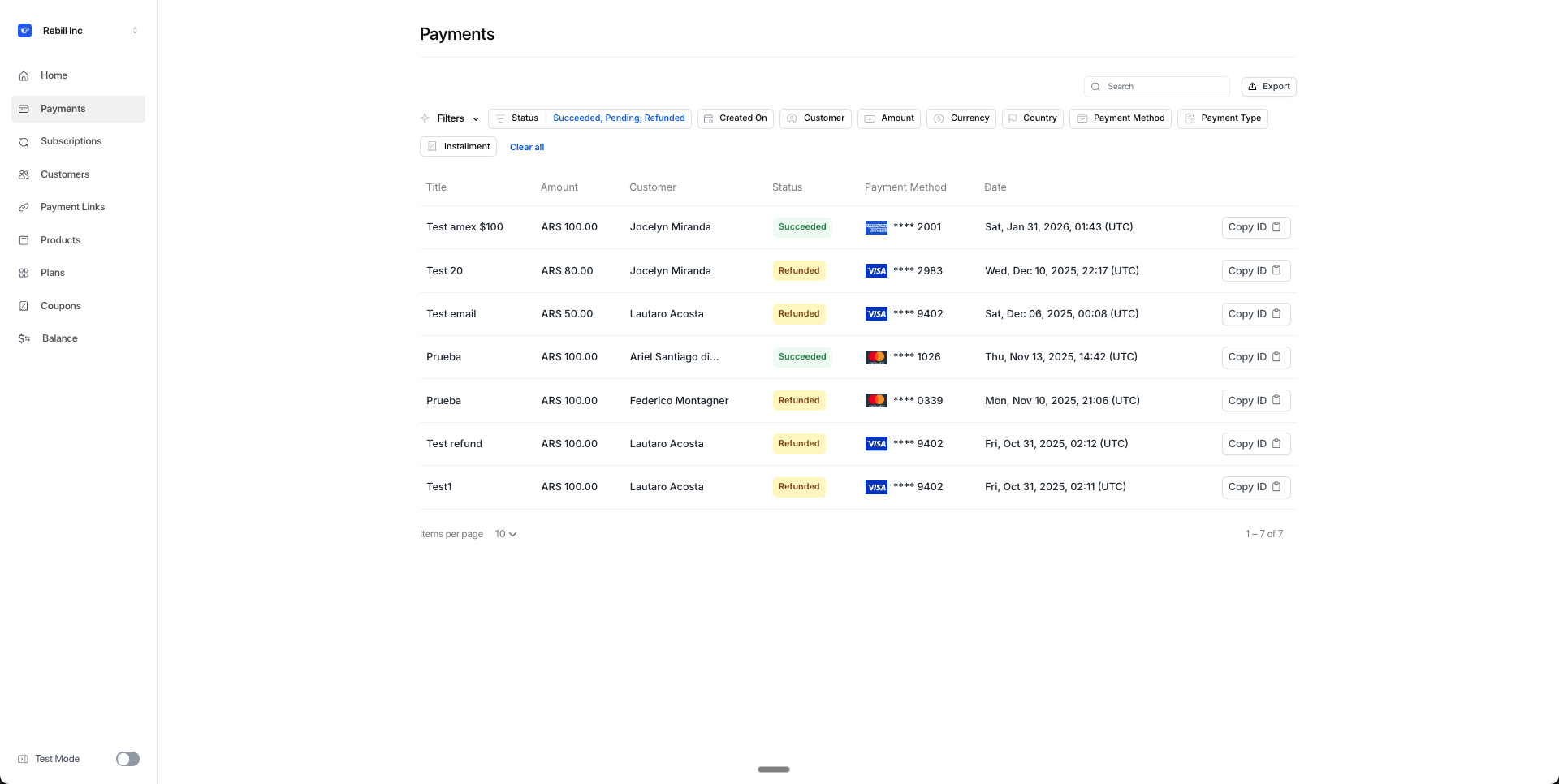
Payment states
Last updated: June 22, 2026
Payments in Rebill move through different states depending on the transaction outcome. This tells you what happened with each charge and what to do next.
Succeeded
Payment processed successfully. Money is confirmed and will be settled to your account.
What it means:
Transaction was authorized and completed
Customer paid and money was added to your balance in Rebill
Payment appears in your payment reports
What to do:
Deliver the product or service
You're done. Flow is complete
Rejected
Payment was declined. It wasn't processed.
What it means:
Bank or processor rejected the transaction
Customer doesn't have sufficient funds
Incorrect data (card number, CVV, etc.)
Antifraud blocked the payment
What to do:
Check the rejection reason in the payment detail in the dashboard
Ask the customer to try a different card or payment method
Common rejection reasons:
Insufficient funds
Expired or blocked card
Incorrect data
Card limit exceeded
Fraud suspicion
Pending
Payment is being refunded. The refund process was initiated but hasn't completed yet.
What it means:
You processed a refund from the dashboard or via API
The refund is being processed by the bank or payment processor
In rare cases, the acquirer may reject the refund, requiring it to be reprocessed
What to do:
Wait up to 48 hours for the refund to complete
The payment will move to Refunded once the acquirer confirms
If the payment stays Pending for more than 48 hours, contact support@rebill.com - the acquirer may have rejected the refund and it will need to be reprocessed
How long it takes:
Maximum 48 hours
Refunded
Payment was fully or partially refunded.
What it means:
Refund completed successfully
If the initial refund was rejected by the acquirer, support may have reprocessed it or used an alternative refund method
Money was returned to the customer. Depending on the payment method, it takes 5-15 bussiness days to reach their account. Bank transfers credit immediately once the refund completes.
Original payment still exists but now has a refund state
What to do:
Refund is done
Customer should receive the money in 5-15 bussiness days depending on their card issuer
Past-Due
Cancelled
Payment was cancelled or refunded within 24 hours of being collected.
What it means:
PSE (bank transfer in Colombia) payment intent was rejected by PSE
Card payment was refunded within the first 24 hours after being charged
The payment never completed or was reversed immediately
What to do:
Nothing. The payment didn't go through
If it was a PSE rejection, ask the customer to try again or use a different payment method
If it was an early refund, it's already processed
Chargeback
Customer disputed the payment with their bank.
What it means:
The customer claimed they don't recognize the transaction
Their bank initiated a chargeback process
The payment amount is being contested
What to do:
The chargeback process is now active
You can defend the chargeback by submitting the corresponding documentation in response to the notification you'll receive via email about the dispute.
How to check payment state
Go to Payments in the dashboard
State appears in the "Status" column
Click the payment to see details and rejection reason (if applicable)
You can also receive state changes via webhook.